
DOT pre-trip inspection checklist app
Pre-Trip Inspections That Catch Defects Before the Road
Drivers tap through a visual checklist of their own truck, add photo proof and sign. Defects reach maintenance at once, and every DVIR sits in one place, ready for an audit.
- iOS and Android app
- Works offline
- Works with your telematics

“Top notch service with a superb product at a great value. I have the inspection reports right at my finger tips.”
Kevin W., Director of Transportation

 Reviews on Capterra and G2
Walkarounds Done in Minutes
Drivers see their own truck on the screen, part by part, so the walkaround is quick and nothing gets skipped.

Every Defect Reaches the Shop
Each defect carries a photo and lands with maintenance before the truck leaves the yard.

Records Ready When Asked
The signed report is filed the moment the driver taps done, ready when an auditor or an officer asks for it.
Fleet and equipment teams run their inspections on Driveroo
300+companies
9M+inspections
38M+photo proofs
70%faster inspections
 4.9Rated 4.9 on G24.8Rated 4.8 on Capterra
Free live demo
See a Pre-Trip Run on Your Own Truck
A Driveroo specialist sets up a walkaround for one of your vehicle types and takes you through a full morning: the driver’s inspection, a defect with a photo, the work order and the signed report.
In the demo
- Your tractor, trailer, straight truck or bus as a guided walkaround
- A defect going from the driver’s photo to a mechanic’s work order
- The signed DVIR and where your records are kept
- Answers on setup, offline use and pricing
- No obligation
- Pick your time on the next step
- iOS and Android
Step 1 of 2 · Your details
Book a Live Demo
Free, no obligation.
Your details stay with Driveroo, see our Privacy Policy.
Why Fleets Switch to Driveroo for Pre-Trip Inspections
A pre-trip inspection app only pays off if drivers use it every morning and the shop acts on what they find. These four details are why they do.
The Walkaround in the Right Order
Lights, tires, brakes, coupling and trailer, in the order a driver walks them, matched to the vehicle: tractor, straight truck, bus or reefer.
Tractor and Trailer Paired by Scan
Drivers scan both units, so interchanged trailers keep their own inspection history, not the tractor’s.
Severity on Every Defect
Drivers rate what they find. Serious defects can hold the truck in the yard until a mechanic clears it, if your fleet wants that rule.
The DVIR Writes Itself
The driver vehicle inspection report is built from the walkaround and signed on the phone. Nothing is typed twice. More on the DVIR app
What the Rule Asks for Before a Truck Moves
Under 49 CFR 396.13, a driver has to be satisfied the vehicle is in safe operating condition before driving it, review the last driver vehicle inspection report, and sign it when it listed defects, to show the repairs were reviewed.
The report made at the end of the day is covered by 49 CFR 396.11, and it can be kept electronically.
Driveroo gives you the records the rule asks for, at every step of the driver’s morning.
Running heavy trucks and equipment too? See the heavy vehicle inspection app and fleet inspection software.
| The rule asks | Driveroo gives you |
|---|---|
| Be satisfied the vehicle is safe | A guided walkaround of that vehicle, part by part |
| Review the last report | The previous report and its open defects on the phone before the walkaround starts |
| Sign it | An on-screen signature, time-stamped, with the driver’s name |
| Keep the record | Every report stored per vehicle, found by unit and date in seconds |
What Drivers and Mechanics Get in the App
Six things that make a digital walkaround faster than the paper one it replaces, and more useful to the shop.
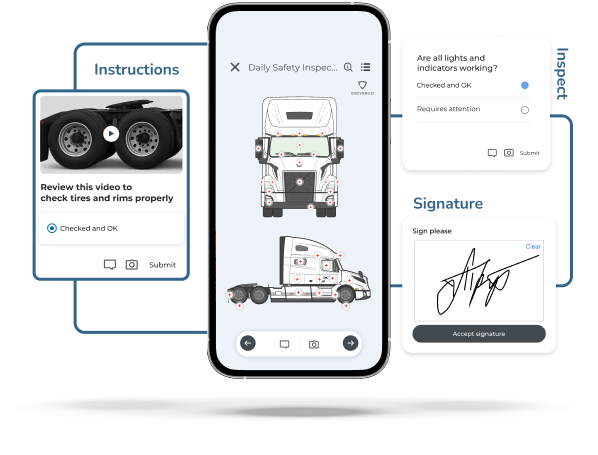
A Walkaround on a Picture of the Truck
Inspection points sit on a drawing of the exact vehicle. Short videos show how to check tires, brakes and lights.
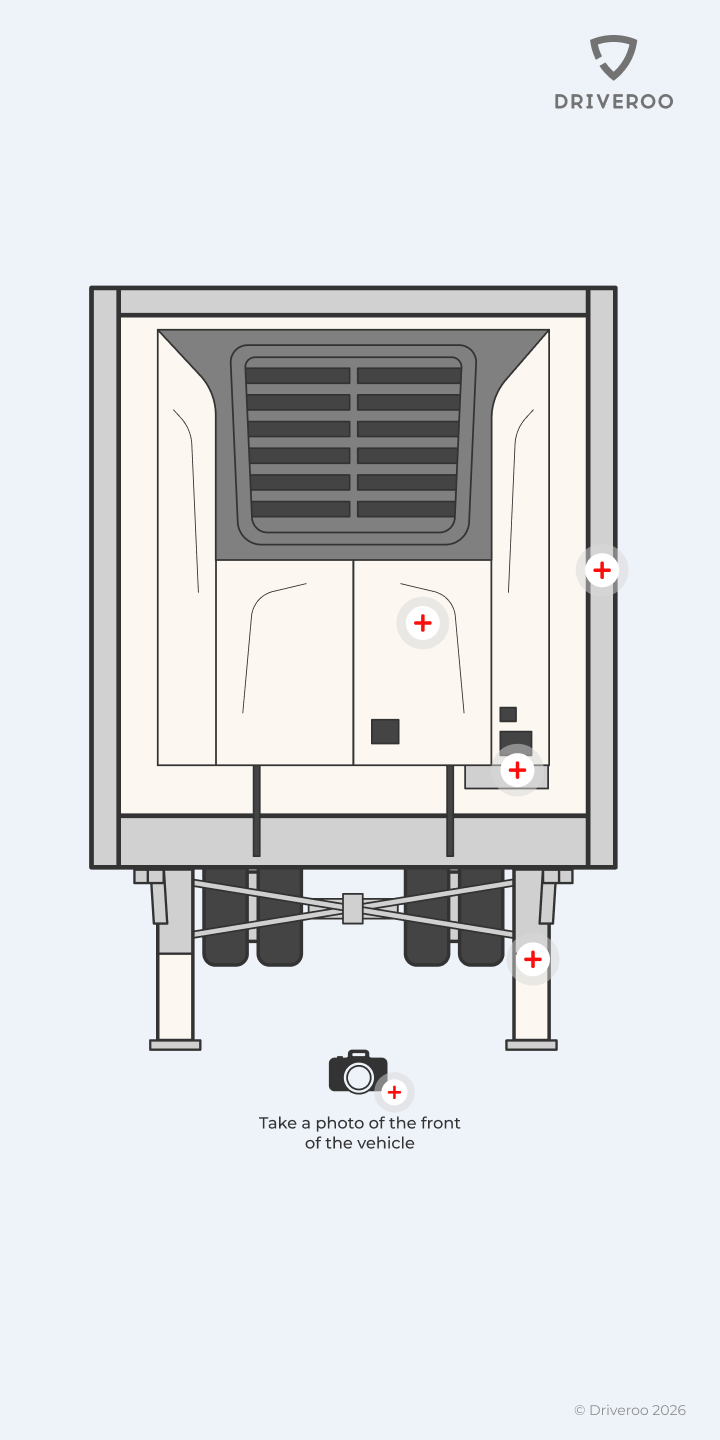
Tractor and Trailer in One Inspection
Scan both QR codes. Each unit gets its own points, findings and history, and both land in one report.
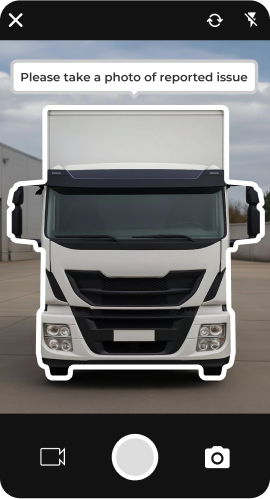
Photo, Video and Voice on a Defect
The camera opens on the part that failed, so the mechanic sees what the driver saw, with a note in the driver’s words.
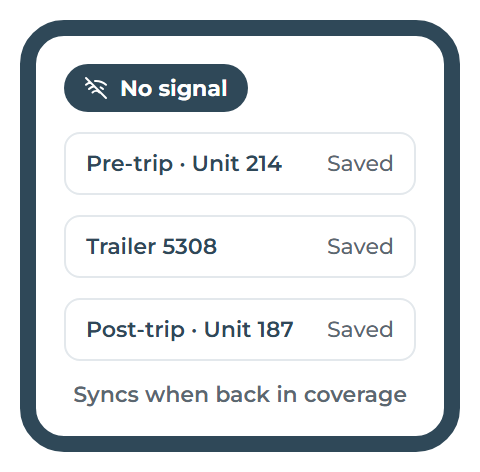
Works With No Signal
Finish the pre-trip in a remote yard or a dead zone, photos included. It syncs on its own later, on iOS and Android.
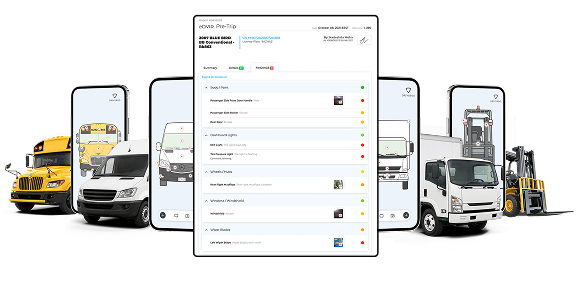
A DVIR for Every Vehicle, Filed
Each inspection produces a signed report, stored per asset and ready to download or send when someone asks.
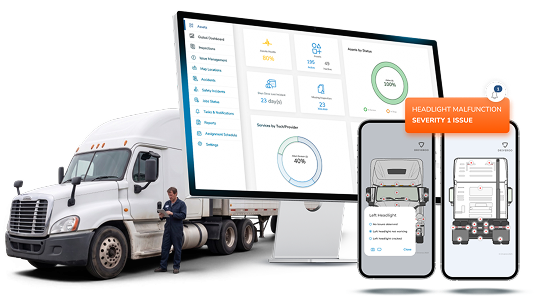
Defects Routed to Maintenance
A failed item opens an issue with the photo and severity. The shop gets an alert and can turn it into a work order.
How a Driver’s Pre-Trip Runs in Driveroo
Scan → Inspect → Report → Fix. Four steps before the truck leaves the yard.
01
Scan the Unit
Scan the tractor, then the trailer. The right walkaround loads, with open defects from the last report on top.
02
Walk the Truck
Follow the order the app shows: lights, tires, brakes, coupling, trailer. One tap per item when it is fine.
03
Mark Defects
Tap the part, take a photo, add a short note and set how serious it is.
04
Sign and Go
Sign on the screen. The report reaches the shop and the vehicle’s file at once.
What Changes After the Switch
What fleets notice once pre-trips move from paper to the phone.
Fewer Defects Found on the Road
Problems are caught in the yard, where they are cheaper to fix than at the roadside.
Faster Repairs
The mechanic sees the photo and the severity before the truck reaches the bay.
Records in Seconds
At an audit or a roadside stop, the report is a search away, not a binder away.
Drivers Who Keep Using It
It works offline, one-handed and in the driver’s language, so it does not get skipped.
Paper vs. Digital Pre-Trip Inspections
The same walkaround, two ways of recording it.
| What matters | Paper checklist | Driveroo |
|---|---|---|
| Time per inspection | As long as the driver chooses; items get skipped or pencil-whipped | Minutes, with every point in walk order |
| Proof of defects | A written line, if any | Photo, video or voice note on each defect |
| Where the record is | In the cab, a binder or lost | Stored per vehicle, found by unit and date |
| What the shop sees | The sheet, when it arrives | The defect and its photo before the truck leaves the yard |
| At an audit | Hours of pulling paper | Reports by vehicle and date, in seconds |
Fleets Running Pre-Trips on Driveroo
How a school bus operator moved its pre-trip and post-trip reports off paper.
School bus · passenger transport
Eschbach Bus Service
Moved drivers’ pre-trip and post-trip reports from paper to the Driveroo app. Reports that took days to collect now reach the shop as soon as the driver signs.
In-app guidance keeps a largely part-time driver team consistent, and photos and video let the shop sort repairs by severity.
Read the Eschbach story (PDF) →Integrates with





Pre-Trip Inspection Questions
The parts that keep a truck safe to drive: service brakes and trailer brake connections, parking brake, steering, lights and reflectors, tires, wheels and rims, horn, wipers, mirrors, coupling devices and emergency equipment. FMCSA lists these for the driver vehicle inspection report in 396.11, and most fleets check the same list before the trip. In Driveroo you set the list per vehicle type.
Long enough to check every item properly, which depends on the vehicle and your checklist. A guided walkaround removes the time spent deciding what to check next and writing it down, so drivers spend their minutes on the truck, not on the form.
396.13 is the inspection before driving: the driver has to be satisfied the vehicle is safe, review the last inspection report, and sign it when it listed defects. 396.11 is the driver vehicle inspection report itself and the carrier’s duty to repair and certify. Driveroo records both, the pre-trip walkaround and the DVIR.
For property-carrying vehicles, FMCSA dropped the no-defect DVIR in 2014; passenger carriers still have to file one. Many fleets keep a no-defect report anyway, as a record that the inspection happened. In Driveroo your fleet chooses its own rule.
The driver scans both units. Each has its own inspection points and history, so when trailers are swapped, a trailer defect stays with the trailer and shows up for the next driver who pulls it.
Yes. The whole inspection, photos included, completes offline on iOS and Android and syncs when the phone is back in coverage.
A failed item opens an issue with the photo, the note and the severity. Maintenance gets an alert, and the issue can become a work order. Serious defects can keep the truck from being dispatched until a mechanic clears them.
Yes. Start from a Driveroo template for the vehicle type and add, remove or reorder items, or rebuild your current paper form point by point.
See How Your Pre-Trip Runs in Driveroo
From walkaround to work order, on your own vehicles. Free, no obligation.
Book a Live Demo© Driveroo 2026 | Privacy | Asset and Fleet Management Software
This site uses cookies. We do this to remember your preferences so that we can improve our service. By using our site, you agree to our use of cookies.